If you spend hours typing every day, your keyboard matters more than you might think. A standard flat keyboard forces your wrists into an unnatural position that can lead to strain, discomfort, and repetitive stress injuries over time. Ergonomic keyboards address this with split layouts, curved key beds, and built-in wrist support — and the difference is noticeable from day one.
We've reviewed the best ergonomic keyboards currently available in the UK, from premium mechanical options to affordable wireless picks that won't break the bank.
What to Look for in an Ergonomic Keyboard
- Layout style — split keyboards separate the keys into two halves for a more natural hand position. Curved or wave designs offer a gentler learning curve while still improving comfort.
- Wrist rest — a built-in or included wrist rest reduces pressure on your wrists. Cushioned rests are more comfortable than hard plastic.
- Connectivity — wireless (Bluetooth or 2.4GHz) keeps your desk tidy. Some keyboards offer multi-device pairing so you can switch between your laptop and desktop.
- Key feel — mechanical switches give tactile feedback and are more satisfying to type on. Membrane keys are quieter and usually cheaper.
- UK layout — make sure you're getting a QWERTY UK ISO layout with the correct pound sign and Enter key shape. Some listings default to US ANSI.
- Battery life — wireless keyboards vary hugely. Some last weeks, others last months on a single charge.
Our Top Picks
Best Overall — Keychron Q10 Max — Premium Mechanical
Starting from £209.99
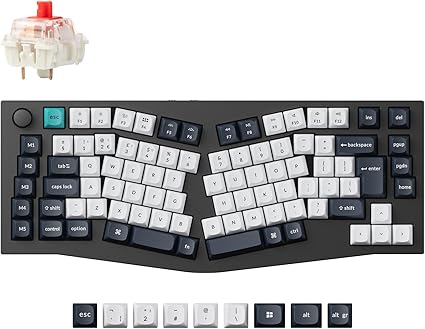
The Q10 Max is the keyboard for enthusiasts who want the best of both worlds — a proper ergonomic Alice layout with premium mechanical switches. The 75% UK ISO layout gives you all the keys you need without wasting desk space, and the build quality is exceptional. The aluminium case has real weight to it, and the typing experience with Gateron Jupiter switches is outstanding.
It supports Bluetooth, 2.4GHz wireless, and USB-C wired, so connectivity is never an issue. If you're serious about both ergonomics and typing feel, this is the one.
Best for: Mechanical keyboard enthusiasts who want an ergonomic layout without compromises.
Best Ergonomic All-Rounder — Logitech ERGO K860 — Mid-Range
Starting from £97.90
The ERGO K860 is the keyboard most people should buy. The curved, split design guides your hands into a natural position, and the integrated wrist rest is genuinely comfortable for long typing sessions. Setup is effortless — pair via Bluetooth or the included USB receiver and you're away.
The key feel is quiet and responsive, battery life stretches to months, and it supports multi-device switching between up to three devices. It's the ergonomic keyboard that requires the least adjustment if you're coming from a standard layout.
Best for: Anyone switching to ergonomic for the first time who wants something that just works.
Best for Productivity — Logitech MX Keys — Mid-Range
Starting from £82.49
The MX Keys isn't a traditional ergonomic keyboard — there's no split or curve — but the low-profile design, spherically dished keys, and backlit illumination make it remarkably comfortable for all-day typing. It pairs with up to three devices and switches between them with a button press, making it ideal for multi-computer setups.
Smart backlighting activates when your hands approach and adjusts to ambient light. If you want premium typing comfort without committing to a split layout, the MX Keys is hard to beat.
Best for: Multi-device users who want a premium typing experience with a conventional layout.
Best Budget Ergonomic — Logitech Wave Keys — Budget-Mid
Starting from £64.14
The Wave Keys brings Logitech's ergonomic expertise to a more accessible price. The wave-shaped key layout creates a subtle curve that encourages a more natural hand position, and the cushioned palm rest is comfortable without being bulky. It's compact enough for smaller desks while still including all the essential keys.
Bluetooth connectivity and multi-device pairing make it practical for everyday use. If the K860 is more than you want to spend, the Wave Keys captures much of the same idea at a lower price.
Best for: Budget-conscious buyers who want gentle ergonomic benefits without a steep learning curve.
Best Split Keyboard — Arteck Split Ergonomic — Budget
Starting from £56.99
The Arteck Split offers a fully separated keyboard layout at a fraction of what most split keyboards cost. The two halves let you position your hands at whatever angle feels comfortable, and the cushioned wrist rest provides decent support. Wireless 2.4GHz connectivity keeps things simple.
There's a learning curve with any split keyboard, but the Arteck makes it affordable to find out if the layout works for you before investing in something pricier.
Best for: Curious typists who want to try a split layout without a big investment.
Best Budget Combo — Arteck Wireless Keyboard and Mouse Combo — Budget
Starting from £35.99
If you need both a keyboard and mouse and don't want to spend much, the Arteck combo is tough to beat. The stainless steel keyboard looks smarter than the price suggests, the UK QWERTY layout is correct, and the included ergonomic mouse is a nice bonus. Both connect via a single 2.4GHz USB receiver.
It's not an ergonomic keyboard in the traditional sense — there's no split or curve — but the compact full-size layout and low-profile keys are comfortable enough for everyday use.
Best for: Complete desk setups on a tight budget.
Best Premium Ergonomic — Kinesis Advantage360 Professional — Premium Contoured
Starting from £587.27
The Advantage360 Professional is the gold standard for ergonomic typing. Its fully split halves and deep concave keywells cradle your fingers, while dedicated thumb clusters move common keys like Enter, Space, and Backspace off your weak pinkies and onto your strongest digits. The result is a genuinely different typing posture that many long-term RSI sufferers swear by.
It connects over Bluetooth with multi-device support or USB-C wired, and it's fully programmable so you can tailor every key and layer. The price is steep and the layout takes real commitment to learn, but for anyone dealing with serious wrist or hand pain, it's the most therapeutic keyboard here.
Best for: RSI sufferers and dedicated ergonomic typists who want the most supportive layout available.
Best Split Mechanical — Keychron Q11 — Premium
Starting from £198.00
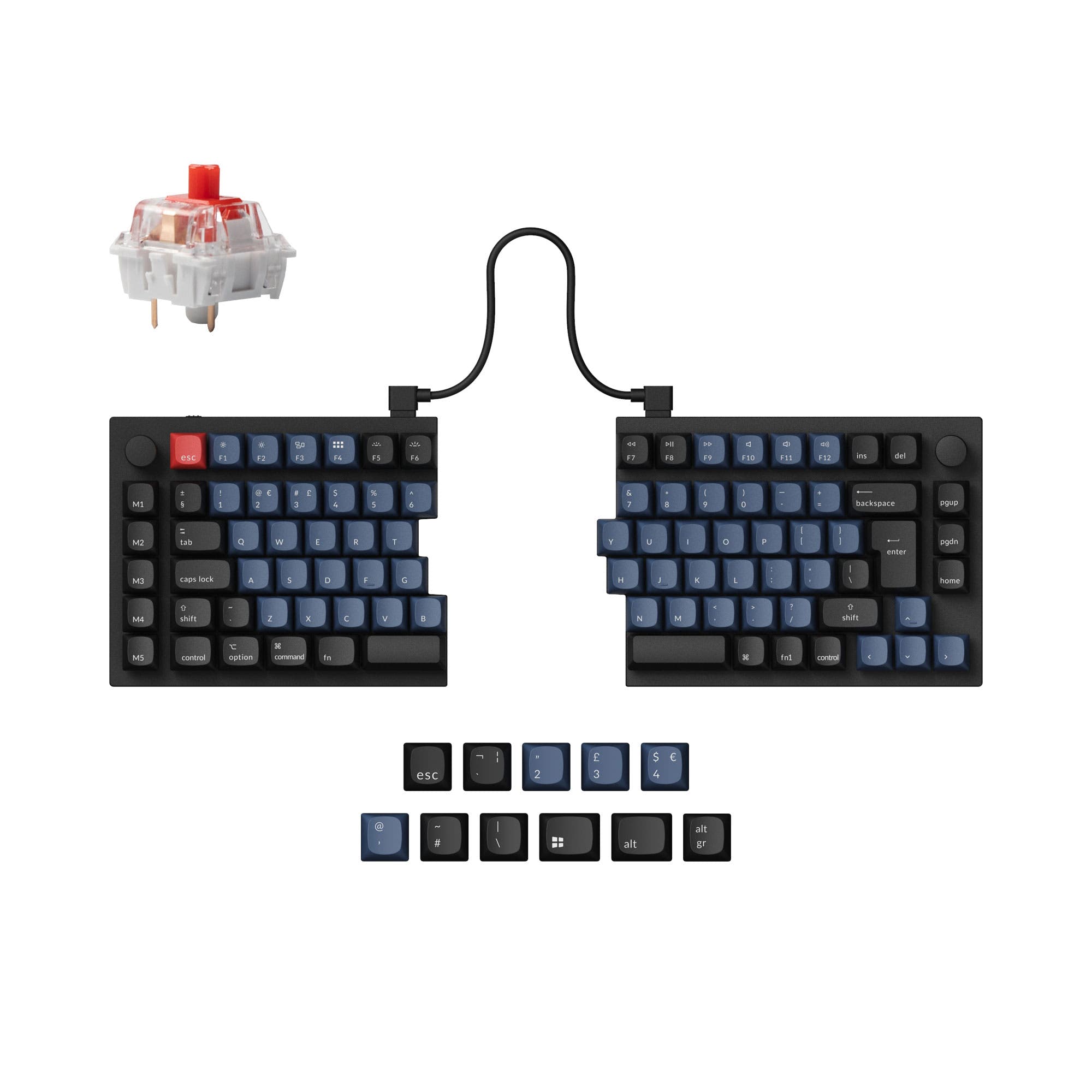
The Q11 takes Keychron's acclaimed QMK build quality and splits it in two. Each half can be spaced and angled to suit your shoulders, and an optional tenting setup lets you raise the inner edges for a more neutral wrist angle. The gasket-mounted aluminium body and hot-swappable switches give it a premium, endlessly customisable feel.
It's a wired USB-C keyboard with full QMK/VIA programmability, so every key and layer can be remapped to your workflow. If you want a true split without stepping up to a contoured keywell design, the Q11 is the enthusiast's pick.
Best for: Mechanical fans who want a customisable split layout with premium build quality.
Best Wireless Curved — Microsoft Sculpt Ergonomic — Mid-Range
Starting from £99.99
The Sculpt Ergonomic Desktop has been a favourite for years, and for good reason. Its domed, split key layout and cushioned palm rest encourage a natural wrist and forearm position, while the separate wireless number pad lets you keep your mouse closer to hand. Quiet membrane keys make it a good fit for shared offices.
Setup is plug-and-play over the single 2.4GHz receiver, and battery life runs to months. It's a proven, affordable route into curved ergonomic typing without a steep learning curve.
Best for: Office typists who want a comfortable curved layout at a sensible price.
Best Budget Wired Split — Perixx PERIBOARD-512 — Budget
Starting from £34.99
The PERIBOARD-512 delivers a genuinely split ergonomic layout for around the price of a basic keyboard. The two key halves are separated with a gentle tent, and an integrated palm rest supports your wrists through long sessions. Being wired means no batteries to charge and zero latency.
The membrane keys are quiet and the full-size layout keeps the number pad. It's the cheapest way to try a split ergonomic design, ideal if you're not ready to commit to a premium option.
Best for: First-time split-keyboard buyers who want a wired, no-fuss option on a tight budget.
How They Compare
| Keyboard | Price | Layout | Connectivity | Wrist Rest | Best For |
|---|---|---|---|---|---|
| Keychron Q10 Max | £209.99 | Alice 75% split | BT / 2.4G / USB-C | No | Mechanical enthusiasts |
| Logitech ERGO K860 | £97.90 | Curved split | BT / USB receiver | Yes (integrated) | Best all-rounder |
| Logitech MX Keys | £82.49 | Standard low-profile | BT / USB receiver | No | Multi-device productivity |
| Logitech Wave Keys | £64.14 | Wave curved | BT | Yes (cushioned) | Budget ergonomic |
| Arteck Split | £56.99 | Full split | 2.4GHz | Yes (cushioned) | Trying split layout |
| Arteck Combo | £35.99 | Standard compact | 2.4GHz | No | Budget desk setup |
| Kinesis Advantage360 | £587.27 | Contoured split | BT / USB-C | Yes (integrated) | Maximum support / RSI |
| Keychron Q11 | £198.00 | Split 75% mechanical | USB-C wired | No | Split mechanical fans |
| Microsoft Sculpt | £99.99 | Curved split (domed) | 2.4GHz | Yes (cushioned) | Affordable curved comfort |
| Perixx PERIBOARD-512 | £34.99 | Tented split | USB wired | Yes (integrated) | Budget wired split |
Frequently Asked Questions
Do ergonomic keyboards really help?
Yes — the difference is real, especially if you type for several hours a day. Split and curved layouts reduce the ulnar deviation (outward wrist angle) that standard keyboards force. Most people notice reduced wrist strain within a week or two of switching.
Is there a learning curve with split keyboards?
Expect a few days to a couple of weeks to adjust, depending on the layout. Curved keyboards like the Logitech K860 have a much gentler transition than fully split options. Your typing speed will dip initially but should recover quickly.
Mechanical or membrane for ergonomic keyboards?
Mechanical switches offer better tactile feedback and tend to last longer, but they're louder and more expensive. Membrane keys are quieter and perfectly fine for everyday typing. If you care about the typing feel, go mechanical. If you want something quiet and practical, membrane works well.
Do I need a separate wrist rest?
Keyboards with built-in wrist rests (like the K860 and Wave Keys) save you buying one separately. If your keyboard doesn't include one, a separate gel or memory foam wrist rest is worth the small investment — it makes a noticeable difference during long typing sessions.
What's the difference between Bluetooth and 2.4GHz wireless?
Bluetooth lets you pair with multiple devices and switch between them. 2.4GHz uses a USB dongle and typically has slightly lower latency. For office typing, both are perfectly fine. If you switch between devices regularly, Bluetooth with multi-device pairing is more convenient.