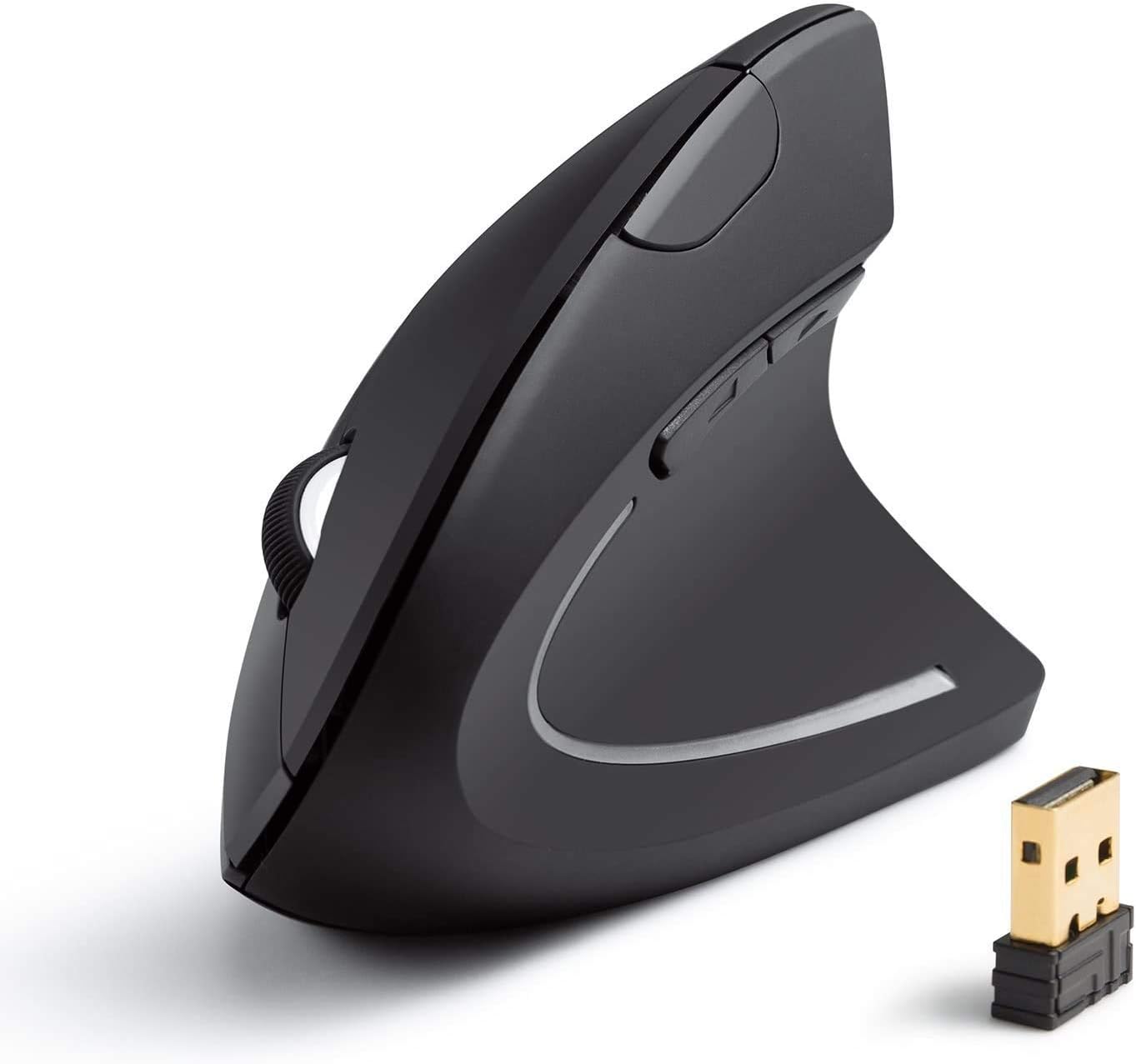
If you use a mouse for hours every day, the way you grip it matters. A standard mouse forces your forearm into a palm-down position that twists your wrist and puts strain on the tendons running through your forearm. Over time, this can lead to discomfort, repetitive strain injury, and carpal tunnel symptoms.
Ergonomic mice fix this in different ways. Vertical mice rotate your hand into a handshake position, reducing forearm twist. Trackballs eliminate arm movement entirely — you move the cursor with your thumb or fingers while your hand stays still. Both approaches work, and which you prefer comes down to personal taste.
We've tested and reviewed the best ergonomic mice and trackballs available in the UK, from premium options to budget picks that punch well above their price.
What to Look for in an Ergonomic Mouse
Mouse type — vertical mice are the easiest transition from a standard mouse. Trackballs take more getting used to but eliminate arm movement completely, which is better for limited desk space and can reduce shoulder strain.
DPI range — higher DPI means the cursor moves further with less physical movement. Adjustable DPI lets you dial in the sensitivity that feels right. For office work, 800-1600 DPI is the sweet spot.
Connectivity — Bluetooth keeps your desk clean and lets you pair with multiple devices. 2.4GHz dongles offer slightly lower latency. Many mice now offer both.
Size and weight — ergonomic mice need to fit your hand properly to work. Too large and your fingers stretch uncomfortably; too small and you end up claw-gripping. Check dimensions against your hand size before buying.
Button count — programmable buttons for back/forward navigation and DPI switching save time. More isn't always better — four to six well-placed buttons cover most workflows.
Battery life — ranges from weeks to years depending on the mouse. Rechargeable is convenient but means occasional downtime. AA/AAA powered mice last longer between changes.
Our Top Picks
Best Trackball Overall — Logitech MX Ergo S
Starting from £99.00
The MX Ergo S is the most refined trackball you can buy. The thumb-operated ball is smooth and precise, and the adjustable 0-20 degree tilt lets you find the angle that suits your wrist. Logitech's precision scroll wheel is excellent, and the rechargeable battery lasts up to four months on a single charge. Connect via Bluetooth or the Logi Bolt receiver, with easy switching between up to three devices. Build quality is solid and the palm rest is comfortable for extended sessions. If you want a trackball that does everything well, this is it.
Best for: Trackball users who want the most polished, feature-complete experience.
Best Premium Trackball — Kensington Expert Wireless Trackball
Starting from £89.99
The Kensington Expert takes a different approach — a large 55mm finger-operated ball sits in the centre of the device, with a unique scroll ring surrounding it. This ambidextrous design works for left and right-handed users equally well, which is rare for trackballs. The ball itself is satisfyingly precise for detailed work. Dual wireless connectivity via Bluetooth or 2.4GHz USB gives you options, and the four buttons are fully programmable through KensingtonWorks software. The detachable wrist rest is a nice inclusion. At 640g it's heavy, but that's a feature not a bug — it stays exactly where you put it.
Best for: Ambidextrous users and anyone who prefers a finger-operated trackball with a large ball.
Best Vertical Mouse — Logitech MX Vertical
Starting from £59.75
The MX Vertical is the vertical mouse others are measured against. The 57-degree angle is backed by ergonomic research and genuinely feels natural from the first grip. The 400-4000 DPI sensor is accurate, the scroll wheel is smooth, and the build quality is unmistakably premium. USB-C charging is welcome, and battery life stretches to four months. Multi-device pairing via Bluetooth or the Unifying receiver lets you switch between computers seamlessly. If you want a vertical mouse you can trust to just work, day after day, this is the safe choice.
Best for: Anyone wanting a proven, premium vertical mouse with no compromises.
Best Vertical for Small Hands — Logitech Lift Vertical
Starting from £44.99
The Lift is essentially the MX Vertical redesigned for small to medium hands — and that's a bigger deal than it sounds. Most ergonomic mice are sized for larger hands, leaving many users with an uncomfortable stretch. The Lift's compact shape and 57-degree angle hit the same ergonomic marks as its bigger sibling, with 400-4000 DPI sensitivity, quiet clicks, and up to 24 months of battery life from a single AA. Multi-device Bluetooth switching works across three devices. Available in multiple colours, including a left-handed version.
Best for: Users with small to medium hands who find standard ergonomic mice too large.
Best Traditional Ergonomic — Logitech MX Master 2S
Starting from £61.99
The MX Master 2S isn't vertical or a trackball — it's a traditional mouse shape refined for comfort. The sculpted body fits the hand naturally, and the thumb rest prevents your little finger dragging on the desk. The Darkfield sensor tracks on virtually any surface including glass, and the dual scroll wheels (main + thumb) are excellent for productivity. Multi-device pairing with Logitech Flow lets you move the cursor between computers seamlessly, even dragging and dropping files across machines. If you want ergonomic comfort without changing how you use a mouse, this bridges the gap.
Best for: Users who want better comfort without switching to a vertical mouse or trackball.
Best Budget Trackball — Perixx PERIMICE-720
Starting from £31.99
The PERIMICE-720 brings thumb-trackball functionality to a genuinely affordable price point. The standout feature is the adjustable tilt — detachable risers let you set the angle at 0, 10, or 20 degrees to find what feels right for your wrist. Dual wireless via Bluetooth 4.1 and 2.4GHz covers most setups, and 8 buttons give you more customisation than mice costing twice as much. The 34mm ball is smaller than premium trackballs, and you only get two DPI levels (600/1600), but at this price it's an excellent way to find out if trackballs work for you.
Best for: Budget-conscious buyers who want to try a trackball without a big investment.
Best Budget Vertical — ProtoArc EM11 NL
Starting from £25.99
The ProtoArc EM11 is a proper vertical ergonomic mouse at a price that makes it easy to try. The handshake-position design reduces wrist strain in the same way as mice costing three times as much. Wireless 2.4GHz connectivity via USB receiver keeps things simple, and the DPI is adjustable up to 2400. The build quality is reasonable for the price — plastic but not flimsy — and it's light enough at around 80g to use all day without fatigue. If you're curious about vertical mice, start here.
Best for: First-time vertical mouse users who want to test the concept affordably.
Best Ultra-Budget — Anker 2.4G Wireless Vertical Mouse
Starting from £16.98
The Anker Vertical is the cheapest ergonomic mouse worth buying. It has the right vertical angle, three DPI settings (800/1200/1600), five buttons, and 2.4GHz wireless — all for under £17. Build quality is basic but functional, and it runs on two AAA batteries. It won't match the Logitech mice for precision or comfort, but it puts ergonomic benefits within reach of any budget. If you're not sure whether a vertical mouse is for you, this is the lowest-risk way to find out.
Best for: Anyone who wants to try a vertical mouse for the cost of a takeaway coffee.
How They Compare
| Mouse | Price | Type | Connectivity | DPI | Best For |
|---|---|---|---|---|---|
| Logitech MX Ergo S | £99.00 | Thumb trackball | BT / Logi Bolt | Adjustable | Best trackball overall |
| Kensington Expert | £89.99 | Finger trackball | BT / 2.4GHz | 400 | Ambidextrous trackball |
| Logitech MX Vertical | £59.75 | Vertical | BT / USB receiver | 400-4000 | Premium vertical |
| Logitech MX Master 2S | £61.99 | Traditional ergonomic | BT / USB receiver | 200-4000 | Traditional comfort |
| Logitech Lift | £44.99 | Vertical | BT / Logi Bolt | 400-4000 | Small hands |
| Perixx PERIMICE-720 | £31.99 | Thumb trackball | BT / 2.4GHz | 600/1600 | Budget trackball |
| ProtoArc EM11 NL | £25.99 | Vertical | 2.4GHz | Up to 2400 | Budget vertical |
| Anker Vertical | £16.98 | Vertical | 2.4GHz | 800/1200/1600 | Ultra-budget |
Frequently Asked Questions
Vertical mouse or trackball — which is better?
Neither is objectively better — they solve the problem differently. Vertical mice feel more familiar if you're coming from a standard mouse; you still move the mouse around, just with your hand rotated. Trackballs keep your hand completely still and move the cursor with your thumb or fingers, which is better for small desks and can reduce shoulder movement. Try whichever appeals to you more — the budget options on this list make it affordable to experiment.
Will an ergonomic mouse fix my wrist pain?
It can help, especially if your pain is caused by the pronated (palm-down) wrist position of a standard mouse. Many users report noticeable improvement within a week or two. However, if you have an existing injury, see a doctor — a mouse change alone may not be enough.
How long does it take to adjust?
Most people adapt to a vertical mouse within a few days. Trackballs take a bit longer — expect one to two weeks before the cursor control feels natural. Your productivity will dip initially but recovers quickly.
Do I need adjustable DPI?
For office work and general use, a fixed DPI around 800-1200 is fine. Adjustable DPI is useful if you switch between tasks that need different sensitivity levels — for example, precise spreadsheet work versus casual browsing. Most mid-range mice include DPI adjustment.
Can I use an ergonomic mouse for gaming?
Vertical mice and trackballs aren't ideal for fast-paced gaming due to their shape and typically lower polling rates. The Logitech MX Vertical and Lift are accurate enough for casual gaming, but dedicated gaming mice are better if gaming is a priority. For productivity and office work, ergonomic mice are the clear winner.
Left-handed options?
Most trackballs work for either hand — the Kensington Expert is fully ambidextrous. The Logitech Lift has a dedicated left-handed version. Most vertical mice are right-handed only, so check before buying if you're a lefty.