DeskMinded
Compare Now
Logitech Ergo M575S Wireless Trackball Mouse – Thumb-Operated, Bluetooth & Logi Bolt USB Receiver

Logitech Ergo M575S Wireless Trackball Mouse – Thumb-Operated, Bluetooth & Logi Bolt USB Receiver

£29.99
(1,848)

Description

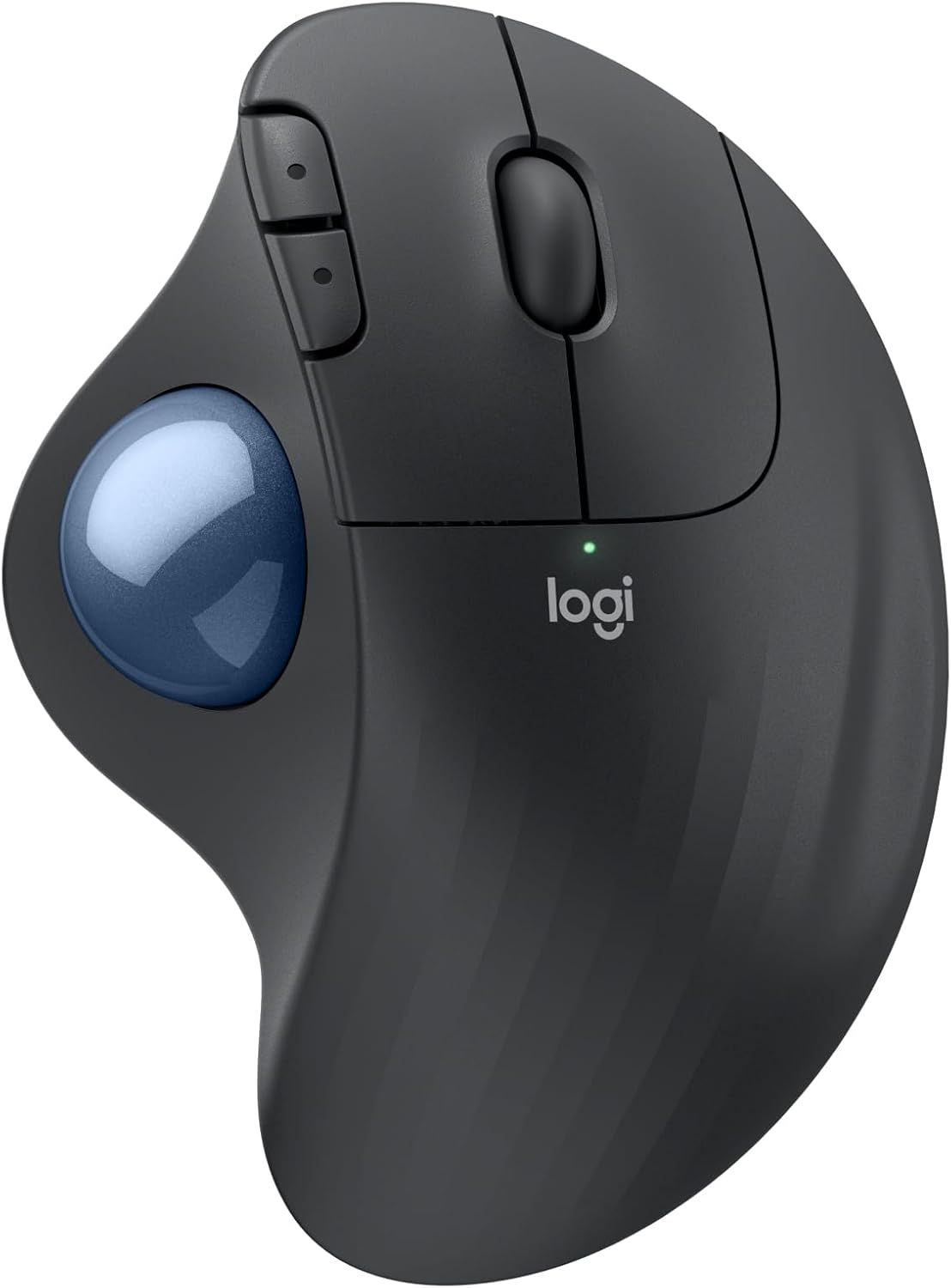
The Logitech Ergo M575S is the current version of the M575, and it remains the cheapest sensible way into trackball use. The ball sits on the left side of the body and is moved with your thumb, so your hand and forearm stay still while the cursor travels across the screen. That removes the constant arm sweeping and wrist twisting of a standard mouse, which is why many people with sore wrists or shoulders try one.

A thumb trackball suits a particular kind of user. If you like the idea of a trackball but want something that feels close to a normal mouse, with a familiar left and right click under your fingers, this is the easiest transition. A finger-operated trackball, where the ball sits in the centre and you roll it with your fingertips, offers more precise control for design or spreadsheet work but takes longer to get used to. A vertical mouse keeps the pointer moving by arm movement, just with a handshake grip that eases forearm twisting, so it helps with posture but does not reduce arm travel the way a trackball does. The M575S sits in the middle: low learning curve, minimal arm movement, and a price that makes experimenting low risk.

It connects over Bluetooth Low Energy or the supplied Logi Bolt USB receiver, runs on a single AA battery, and works with Windows, macOS, Linux, ChromeOS and iPadOS. The shape is right-handed only, and there is no height or angle adjustment, so it is a simple, flat, comfortable design rather than a customisable one. Expect a few days of adjustment before thumb control feels natural, and a quick clean of the ball and its sockets every month or two to keep tracking smooth.

Key Features

  • Thumb-operated trackball: move the cursor with your thumb while your hand and arm stay still
  • Connects via Bluetooth Low Energy or the included Logi Bolt USB receiver
  • Up to 18 months of battery life from one AA battery (included), per Logitech
  • Advanced optical tracking with a sensor that goes up to 2000 DPI
  • Sculpted right-handed shape with a soft-touch finish and a comfortable palm rest
  • Back and forward buttons plus a middle click, customisable in Logi Options+
  • Works with Windows, macOS, Linux, ChromeOS and iPadOS
  • Removable ball for easy cleaning
  • Specifications

    Dimensions

    Weight
    145 g

    Performance

    DPI Range
    400-2000
    Battery Life
    18 months

    Design

    Grip Type
    Trackball

    Features

    Connectivity
    Wireless

    Pros

    ✓ Cheapest way into trackballs from a well-known brand, at around 30 pounds
    ✓ Thumb control feels familiar if you are coming from a standard mouse
    ✓ Reduces arm and shoulder movement, and the hand stays put on the desk
    ✓ Very long battery life from a single AA, with Bluetooth or receiver connection
    ✓ Quiet clicks and works on any surface, including a cluttered desk or your lap

    Cons

    ✗ Right-handed only, so left-handers cannot use it comfortably
    ✗ Thumb control is less precise than a finger-operated trackball; if you want that, look at the Kensington Expert or the Perixx PERIMICE-720, which has an adjustable angle
    ✗ Flat and untilted, so it does not reduce forearm twisting as much as the tilted Logitech MX Ergo S
    ✗ Ball and sockets collect dust and skin oils and need cleaning every month or two to avoid jittery tracking
    ✗ Thumb fatigue is possible during the first week or two, and it is not ideal for fast gaming or detailed drawing
    ✗ Needs an AA battery, which adds a little weight and cannot be recharged by cable

    Related Items